Transferring phyphox experiments
Warning: The information on this page refers to version 1.1.0 (file format 1.7) onwards. Earlier versions only allowed transferring phyphox-files directly (no QR-codes and no zips) and through a phyphox:// URL.
After you have created your custom experiment (either with our editor or "manually" as a text file), you need to transfer it to your phone. The editor can directly generate QR codes, which is usually the recommended and most reliable method. However, if you did not use the editor or if you need other options, here you can learn about all the ways phyphox can receive your custom experiment.
Each of the QR code methods below comes with a working example you can try immediately: open the app's scanner and point it at this page, either on the screen or printed out. They are also the codes we scan ourselves before every release to check that the app still reads them, so they are kept working.
File format
The most basic experiment definition is a .phyphox file as described by our phyphox file format. This is just a simple text file, which is simple to handle, but can only hold a single experiment. It has some disadvantages when transferring it directly (see below) or using it as an offline QR code (see below).
Alternatively, you can place .phyphox-files in a zip file. Phyphox will list all phyphox-files found within a zip file and ask the user how to proceed. If only a single phyphox-file is found in the zip file, it is handled as if the phyphox-file was transferred directly. Zip files should be preferred for direct transfer or offline QR codes.
Bundling images
A zip is also how an experiment brings its own images along. Put them in a folder called res next to the phyphox-file, and an image view element reaches them by name — src="pic.png" for res/pic.png; that folder is the "resource folder" the image element's src is relative to. When the experiment is saved to the user's collection, the app copies those files into a per-experiment resource folder of its own, so the images stay with the experiment.
Only .phyphox files and the contents of res are taken out of the archive; anything else in it is ignored. An entry whose path points outside the archive's own folder (a ../ in the name) is treated as tampering and the whole archive is refused, not just that entry.
Transfer method
Direct transfer
You can copy a phyphox-file or a zip containing one or more files directly onto your phone using any method convenient to you (for example email, Dropbox, messenger services, USB cable, Bluetooth file transfer...). On your phone, you then need to open the file from the appropriate app (for USB or Bluetooth transfer, this could be a file manager app like Total Commander), which should then offer to open the file in phyphox.
However, there are some problems with this method, especially on Android: File formats are no longer assigned to apps (in this case phyphox) by their file name extension ("abc.phyphox"), but by their "MIME type" instead. A MIME type describes the content type and format, like for example "image/png". If you open a PNG-image from a file manager or your email client, it will tell the system that it wants to open a file of the type "image/png" and the system will list all the apps that can handle images. For a phyphox-file, we have the problem that the email client has no idea what a phyphox-file is and it will report it to the system as one of many types that correspond to an unknown file type. Better apps may (correctly) report an XML file, but some worse apps will not report anything. Whether you can open your phyphox-file with phyphox will depend on what this app reports and at least in the case of reporting "nothing", we cannot change anything about this.
This problem usually does not occur with zip files as this is a rather well-known file format. However, some apps might insist on opening the zip file themselves instead of handing it over to the next app (i.e. phyphox).
Therefore, the direct transfer should only be used to transfer files for yourself when you know that this works on the target device. It is not suitable for an audience with different devices.
phyphox:// URL
If you want to share a phyphox file or a zip containing one or more phyphox files for an audience with access to a web page, you can place the file on a webserver and link to it. If your file can be accessed as "http://myhost.com/myfancyexperiment.phyphox", you can create a link that is recognized by the system by replacing "http://" or "https://" by "phyphox://". If the user opens a phyphox-link and already has phyphox installed, the system should hand the URL to phyphox, which downloads the experiment (or the collection of experiments if it is a zip file) directly from the web.
For this you need to be able to upload your experiment to a webserver and you need to be able to create a phyphox-link somewhere convenient for your audience. This usually means that you are placing the link on your own website as a <a href="phyphox://...">-tag, because many CMS, forums or blog systems might enforce using a http:// or https:// link.
Opening a bundled experiment: phyphox://asset=…
Not yet in a released app version (added to the development branches 2026-08).
A phyphox-link can also open one of the experiments that ship with the app, without any server involved. The identifier is the experiment file's path within the bundled collection, URL-encoded:
This is meant for links in worksheets, documentation and classroom materials that should land the user directly in the right bundled experiment, and it is what automated testing uses to drive the app. It is deliberately limited to the bundled collection: experiment titles are not unique, and files elsewhere on the device keep going through the regular file-opening routes. An unknown path shows the app's normal "could not load" message.
Online QR-Codes (recommended)
If your audience has internet access, this is the recommended method and the QR code can be created directly from our editor. This method is very similar to the phyphox:// URL, but the URL is encoded into a QR code, which can simply be scanned from the phyphox main menu. If you want to or need to create the QR code yourself, simply create a QR-Code that contains a link starting with phyphox://, http:// or https:// and phyphox should simply download the experiment after scanning the QR code.
Both link forms work. These two codes point at the same experiment, one as an ordinary https link and one under the phyphox:// scheme:
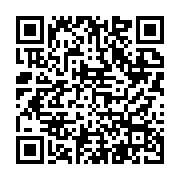
https://phyphox.org/docs/assets/examples/qr-online-example.phyphox
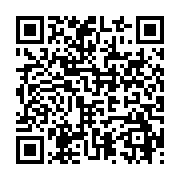
phyphox://phyphox.org/docs/assets/examples/qr-online-example.phyphox
Either one loads QR example (online), a small accelerometer experiment whose title says which route it arrived by. Both need the phone to be online, since the code holds nothing but the address.
Offline QR-Codes
If your audience does not have internet access, the entire experiment configuration can be encoded in one or more QR codes. This can be done directly by our editor, but you should be aware that this produces very large QR codes which can be tough to scan. Also, there are size limitations if you want to avoid creating too many codes, so you should not embed a PNG icon and should remove any translations not necessary for your audience. Also, offline QR-codes should always use a zipped phyphox-file for the same reason.
The code below is one of those. It holds a complete experiment rather than an address, so it works on a phone with no network at all:
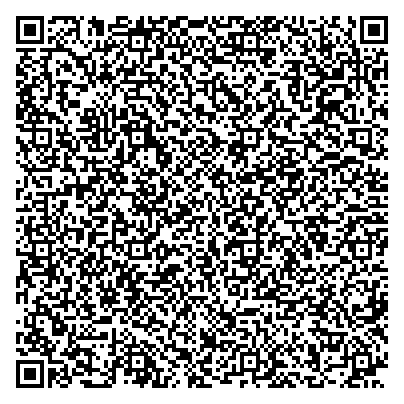
It carries QR example (offline), which is deliberately kept small — compare its size on screen with the link codes above, which hold the same experiment's address in a fraction of the area.
If you need to create an offline QR code without our editor, you should create a QR code which starts with 13 specific bytes, starting with seven bytes encoding the letters "phyphox". Following this, you need to put four bytes which are a CRC32 hash (big endian) of the entire experiment file (only the zip, not the first 13 bytes of the header). The remaining two bytes of the 13 byte header describe how many QR codes form the entire experiment and which QR code index is the current one.
So, for example, if you spread your experiment across three QR codes, your codes need to start with
and
followed by the raw data. As the CRC32 is calculated across the entire experiment, it is identical in all three codes and is used by the app to check if the codes belong to the same experiment.
In practice, you should try to fit your experiment into a single QR code, so you should strip unnecessary tags and attributes from your phyphox XML file. Also, you can save a few more bytes if you do not include the entire zip file. If your zip file only contains a single experiment, you can leave out the local file header and the entire local directory. Just include our 13 byte header, followed by the data and add a single data descriptor at the end. Phyphox will add a default local file header and a default local directory to extract and interpret the experiment file inside. Note that the entry has to be stored rather than deflated, because the header phyphox adds declares compression method 0.
This shortened form is deliberately limited to the QR-code and Bluetooth routes, which are the low-bandwidth paths that justify it. Do not distribute it as a file: it is not something a recipient can inspect or modify with ordinary tools, and every other route is better served by a plain phyphox-file or an ordinary zip.
A set of two codes
If the experiment does not fit, the payload is simply cut into pieces and each piece gets its own 13 byte header. Where the cut is made is up to whoever creates the codes; only the index and the count have to be right, and the CRC32 has to be the one of the whole payload. The two codes below are one experiment split in half:
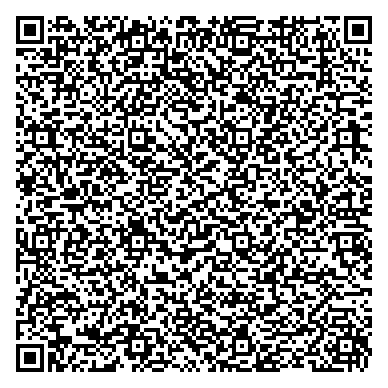
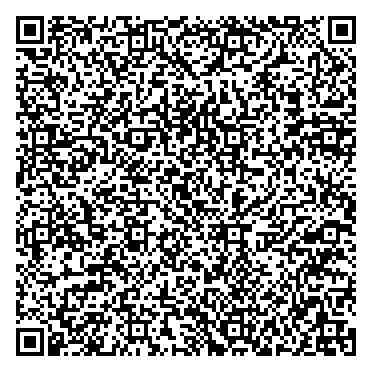
Scan them one after the other, in any order — phyphox keeps what it has and tells you how many codes are still missing until the set is complete. This is the same experiment the link codes above point at, so it opens as "QR example (online)" even though nothing was downloaded. Two codes is still easy; a set of five is not, which is why the advice above is to make the experiment fit into one.
Bluetooth device
If you have created your own Bluetooth Low Energy device, it can directly transmit an experiment to phyphox. Please check our Bluetooth Low Energy documentation for details on this method.