
We have just released the new version 1.2.1, and once again, it is a much larger update than our modest version numbers might suggest.
Spectroscopy
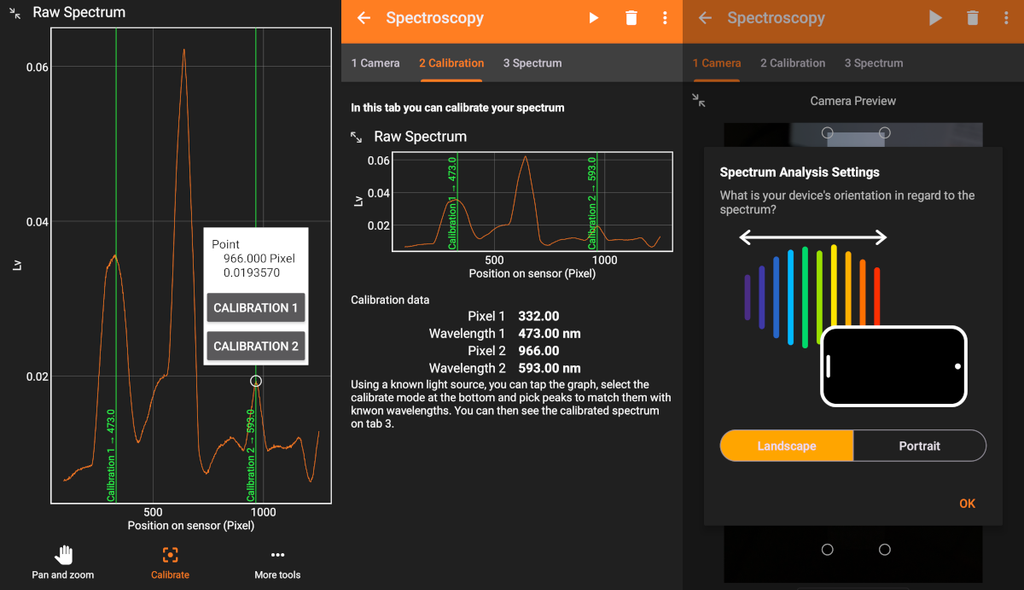
While phyphox cannot split light into its wavelengths out of the box using built-in resources alone, phone spectrometer projects using an inexpensive diffraction grating or a piece of a CD or DVD have been around for a long time. These setups allow you to disperse light into a rainbow, but until now, you could mostly only take a photo with your phone to analyze later. Phyphox now provides the ability to linearize the image by converting it into relative luminance and then average it column- or row-wise to display the actual spectrum. If you use the phone on a tripod in a fixed setup, you can also select points, assign them to known wavelengths, and calibrate the spectrum.
LED Stroboscope
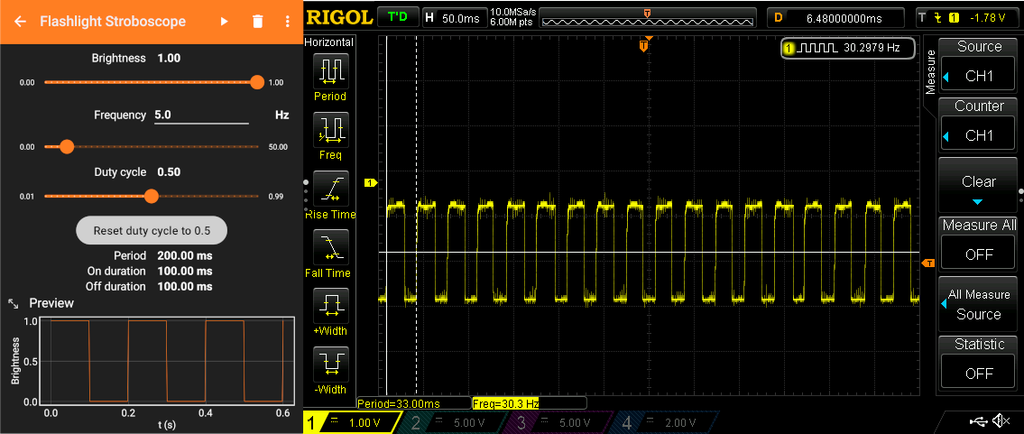
Also new is the flashlight stroboscope. Here, phyphox uses the phone’s flash LED to offer a stroboscope feature. You can select the frequency and duty cycle, and using an oscilloscope and a photodiode, you can easily verify that phyphox reaches the target frequency very reliably. Unfortunately, phyphox cannot verify exactly when the phone actually switches the LED, so it does not notice when it gets too fast. This means that above a certain frequency, individual “light events” are missed and the stroboscope becomes irregular. Depending on the device, this can happen at 20 Hz, 50 Hz, or 100 Hz. Fortunately, you can tell by looking at the light: if a sudden change occurs while slowly increasing the frequency (flickering or a sudden drop in brightness), you should be skeptical.
Tone Generator
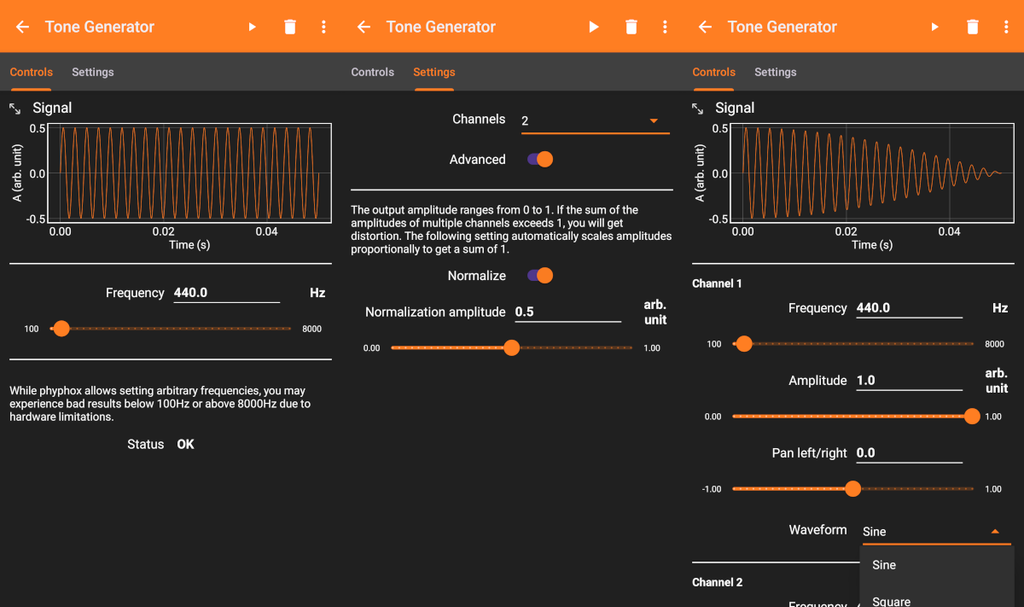
Strictly speaking, the revised tone generator is just the most direct effect visible to the user. Behind the scenes, phyphox can now dynamically hide UI elements, supports various wave functions since the last version, and operates its audio engine in stereo. All of this has been packed into the tone generator: you can now configure up to three channels, switch from sine to square and sawtooth waveforms, and route individual channels to either the left or right speaker. Of course, we do not want to overwhelm learners with options, which is why the tone generator initially appears in its familiar “simple” mode. In the second tab, you can activate additional channels and advanced features.
New Languages
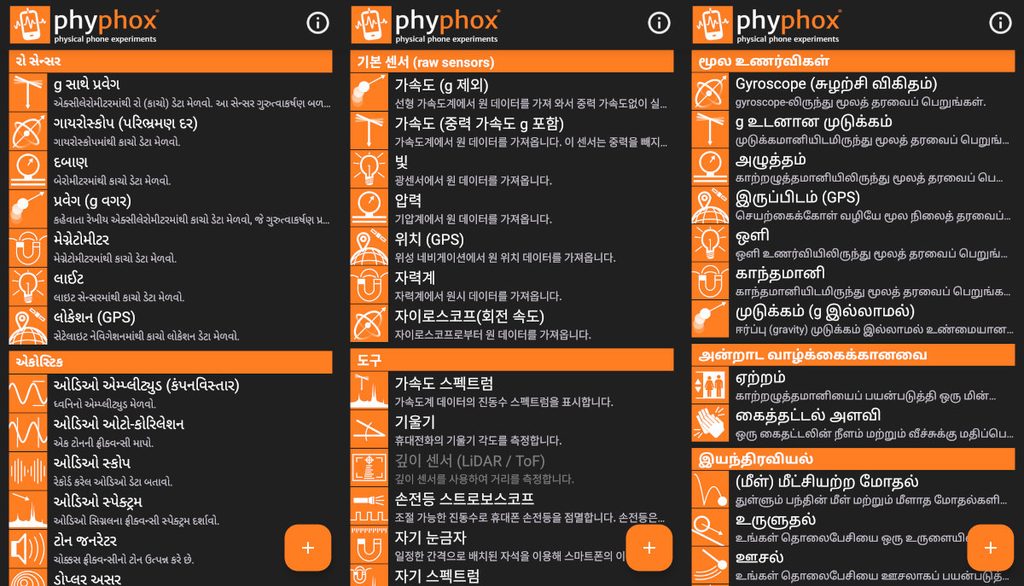
Most of you will naturally not see this, but we are nevertheless very proud that our volunteer translators have been hard at work again, translating phyphox into their respective native languages. Our latest additions are Gujarati, Korean, and Tamil. As a team accustomed to working with the Latin alphabet, seeing these (from our point of view) exotic scripts reminds us just how international phyphox has become.
Many Small Improvements
That was by no means everything. We have replaced the outdated Excel format xls with the newer xlsx, removing the 65,535-row limit. In the main menu, multiple experiment configurations can now be selected for deletion by pressing and holding them. In the settings, you can set default filenames for exports, screenshots, and saved states (including placeholders). Many experiments now feature a selection option when clearing data, allowing you to keep calibration values or settings. The entire Bluetooth engine on Android has been rewritten from scratch, as has the support for MQTT. Many new modules and functions are now available for those who create custom experiment configurations.
The full list of changes and improvements can be found at https://phyphox.org/docs/reference/version-history/1.2.1/.
New Documentation and Tests
And for those who know phyphox really well, the biggest change of all should stand out in that changelog link: we have launched a new technical documentation at https://phyphox.org/docs. Why is this the biggest update? Because this documentation is more than just updated text. Here, we utilized AI in a way that indisputably improves projects without introducing new issues. The entire legacy documentation, the codebase of both apps (Android and iOS), a collection of hundreds of experiment configurations created over the years, and weeks of proofreading and decision-making in response to AI queries have led to a sharp, machine-readable definition of the phyphox file format (and, incidentally, the REST API). The new documentation is a hybrid of explanatory guides and automatically generated information derived from these machine-readable formats.
This not only means that it is now much clearer what happens when creating an experiment configuration, but also that it can be tested automatically much more easily. Using this sharp definition, automated tests were fed for Android, iOS, and the experiment editor—finding and resolving over 100 differences between the two app versions alone. In the process, phyphox has (finally) gained a proper testing system that checks app functionality via code snippets (all analysis modules), UI tests in emulators (menus, control elements, languages, and the interfaces of all experiments), and ultimately seven representative physical devices (testing Bluetooth, audio, and sensors).
The beta phase was significantly shorter than usual this time, yet this is likely the most thoroughly verified version of phyphox to date.
As always, we hope you enjoy the new features and look forward to your feedback and suggestions.